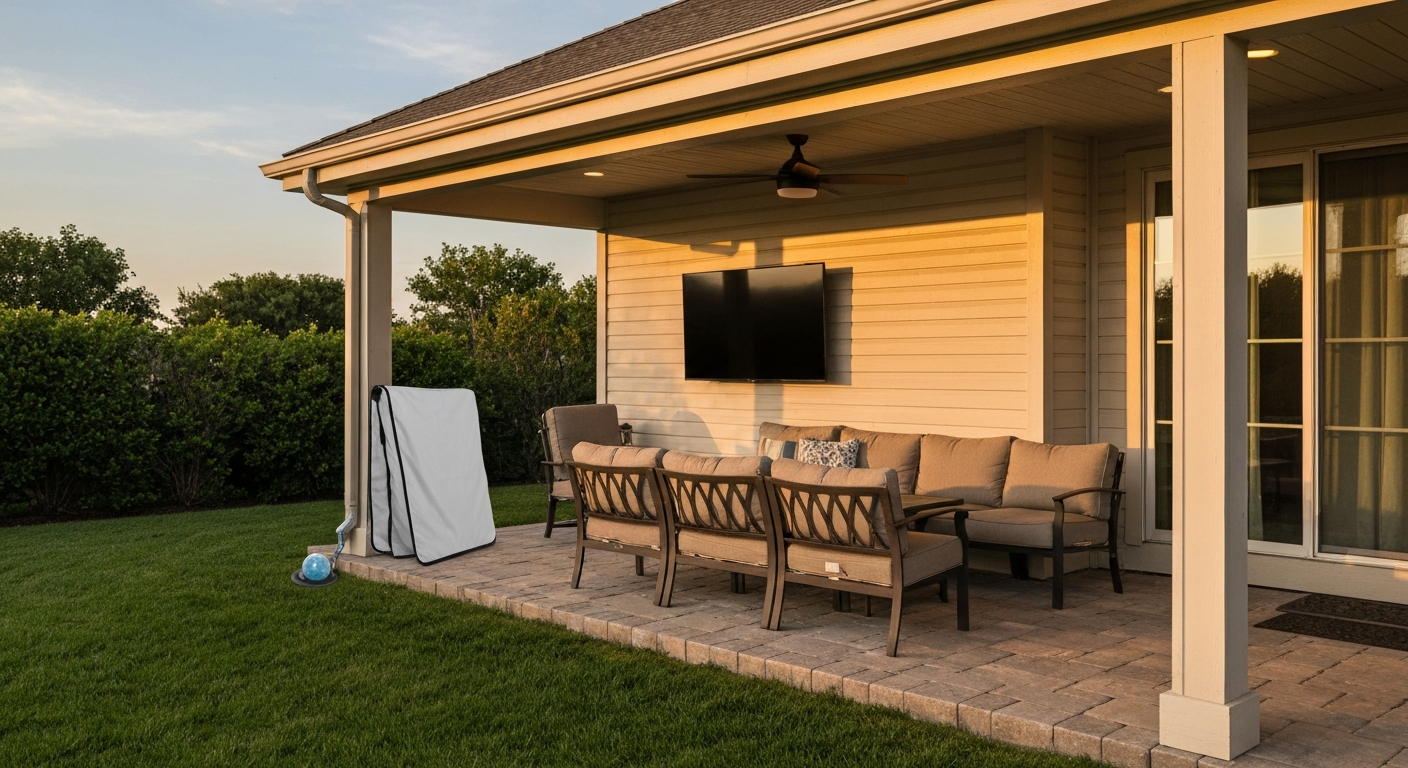
Yes, you can put a regular indoor TV on a covered patio, but it comes with real risks and clear limits. A covered patio is classified as a "damp location" under the National Electrical Code, which is meaningfully different from a fully weatherproofed outdoor setup. Your indoor TV was designed to operate indoors, typically between 32°F and 104°F and at humidity below 80% (non-condensing). The moment you move it outside, you accept that moisture, insects, temperature swings, and UV exposure can damage the set in ways your warranty will not cover. Do it right, with proper weatherproofing, a GFCI-protected outlet, surge protection, and a plan for the cold months, and a covered patio install can work well. Skip those steps and you'll likely be replacing the TV sooner than expected.
Can You Put a Regular TV on a Covered Patio? Practical Guide

Risks and warranty issues you need to know upfront
The single biggest thing to understand before hauling a TV onto your patio is that every major manufacturer explicitly excludes outdoor use from warranty coverage. Samsung's standard limited warranty language excludes damage from exposure to liquid, moisture, or weather that is inconsistent with the user manual specifications. VIZIO's quick-start and warranty documentation lists exposure to rain and moisture as a condition that voids coverage. Sony makes the same call. This is not fine print buried in a 50-page document. It is a direct, deliberate exclusion.
Beyond the warranty, the practical hazards are real. Condensation can form inside the screen panel when warm daytime air cools overnight, leaving water droplets directly on the electronics. Insects, especially wasps and mud daubers, will nest inside vented speaker grilles and cooling slots. UV exposure bleaches plastic bezels and, over time, degrades the LCD layer from the front. In coastal or high-humidity regions, salt air accelerates corrosion on metal connectors and circuit board contacts. None of these failures show up immediately, which is exactly why they catch people off guard.
- Moisture and condensation inside the panel or electronics housing
- Warranty voided by any manufacturer the moment moisture damage is found
- Insect nesting inside vents and speaker slots
- UV degradation of the screen surface, bezel, and plastic housing
- Salt-air corrosion on ports, connectors, and circuit boards (coastal areas)
- Thermal stress from repeated heat and cold cycling beyond rated specs
- Power surge damage from outdoor electrical environments
Environmental limits your TV is actually designed for
It helps to look at what the manufacturers actually specify before deciding whether your patio qualifies. Every brand lands in roughly the same range, but the exact numbers matter when you're planning a year-round outdoor install. Sony BRAVIA KDL-55HX751, User Manual (Operating temperature 32°F–104°F) specifies an operating range of 32°F–104°F and cautions against installing TVs in locations subject to extreme temperature or moisture Sony BRAVIA KDL-55HX751 — User Manual (Operating temperature 32°F–104°F).
| Brand | Operating Temp (°F) | Operating Humidity | Notable Caution |
|---|---|---|---|
| Samsung | 50°F – 104°F | 10% – 80% (non-condensing) | Excludes moisture/weather damage from warranty |
| LG | 32°F – 104°F | < 80% (non-condensing) | Do not use in humid or wet locations |
| Sony BRAVIA | 32°F – 104°F | Not stated as % / avoid moisture | Not for extreme temp or moisture environments |
| VIZIO | 32°F – 95°F | 10% – 90% (non-condensing) | Rain/moisture excluded from warranty and service |
| TCL | 41°F – 95°F | 20% – 80% (non-condensing) | Lower upper temp limit than many competitors |
| Hisense (display) | 41°F – 95°F | 20% – 80% (non-condensing) | Even display/commercial models cap at 95°F |
A covered patio in a temperate climate during summer will regularly sit at 90°F to 100°F in direct radiated heat, especially if the cover is metal or the space is enclosed on three sides. Add a TV that is running and generating its own internal heat, and you can easily push internal temps above 95°F, which is the limit for several popular brands. In winter, anything below freezing (32°F) is outside the operating window entirely. If you live somewhere that regularly drops below freezing or climbs above 100°F, an indoor TV on the patio is going to struggle without active thermal management.
Humidity is the sneakier problem. "Non-condensing" in the specs means the TV assumes the air around it will not condense into liquid water on the components. On a covered patio, morning dew, an evening rainstorm that blows in sideways, or a sudden temperature drop after a hot afternoon can all push humidity well past 80%, and condensation forms inside the housing. Once water sits on a circuit board, even briefly, the damage is done.
Electrical and code basics for a covered patio install
This is the section where a lot of DIYers cut corners, and it's the one that matters most for safety. The National Electrical Code (NEC) treats a covered patio as a damp location. An open patio exposed to rain is a wet location. The distinction changes what equipment is required, but both require GFCI-protected outlets.
NEC Section 210.8 requires GFCI protection for all outdoor 125-volt through 250-volt receptacles at dwelling units. There are no exceptions for covered areas. GFCI protection trips the circuit within milliseconds if current leaks to ground, which is exactly the scenario you face when moisture gets near electronics. If your covered patio does not already have a GFCI outlet, you need one before the TV goes up, full stop.
NEC Article 406.9 specifies that receptacles in damp locations need weatherproof covers that protect the outlet when no plug is inserted. Receptacles in wet locations where a plug will remain inserted continuously require a listed "in-use" cover, sometimes called a while-in-use or bubble cover, that protects the outlet even with the cord plugged in. For a TV that's going to be plugged in most of the time, a standard weatherproof cover is not enough. You need an in-use cover rated for that application.
- GFCI protection is required for all outdoor receptacles at dwelling units (NEC 210.8)
- Damp locations (covered patio): weatherproof cover required when outlet is not in use
- Wet locations with plug inserted: "in-use" (while-in-use) bubble cover required (NEC 406.9)
- All outdoor wiring must run in conduit or use outdoor-rated (UF or wet-location-rated) cable
- New circuits, new outlets, and running conduit typically require a permit and inspection
- Check with your local Authority Having Jurisdiction (AHJ) before starting any new circuit work
- Hire a licensed electrician for any new 120V or 240V circuit, panel work, or wiring you are unsure about
If you already have an outdoor GFCI outlet on your covered patio, you may be able to plug directly into it with appropriate cords. If you need to run a new circuit, install new outlets, or run conduit through walls, that work almost always requires a permit and, in most jurisdictions, a licensed electrician for the wiring itself. The permit process is not bureaucratic busywork. It gets an inspector's eyes on the work, which protects your home and your insurance coverage.
Mounting, ventilation and placement: where and how to hang the TV
On a covered patio, placement is about managing the three enemies: heat, moisture, and sun. Mount the TV on a solid wall or post, not a pergola rafter or lightweight trellis. Structural mounts need to anchor into studs or masonry with appropriate fasteners. For a typical TV in the 43-to-65-inch range, use a mount rated for at least 1.5 times the TV's weight to account for wind load and dynamic forces.
Airflow behind and around the TV is not optional. Indoor TVs rely on convection cooling through rear and side vents. When you mount a TV flat against a wall with no gap, heat builds up inside the housing and components fail early. Leave at least 4 inches of clearance behind the TV and 2 inches on each side. If your wall is masonry or concrete, a tilting or full-motion mount that holds the TV slightly away from the surface works well. Avoid recessing the TV into a cabinet without active ventilation.
For viewing angle and height, the general guideline is to mount the center of the screen at seated eye level, which is roughly 42 to 48 inches from the floor for typical outdoor furniture. Mounting too high (a common mistake on patios where people put TVs near the roofline) forces neck strain over long viewing sessions. If you're working with fixed seating like a built-in bench or deep sectional, measure the eye height from that specific seating position and work from there.
- Mount to studs or masonry with hardware rated for the TV's weight plus a 50% safety margin
- Leave at least 4 inches of clearance behind the TV for airflow
- Leave at least 2 inches on each side for lateral ventilation
- Do not recess the TV into a sealed enclosure without a fan
- Center screen height: 42 to 48 inches from the floor for seated viewing
- Use a tilting mount to correct angle if mounted slightly higher than ideal
- Position the TV on an interior covered wall rather than an outer exposed wall where possible
- Face the screen away from direct afternoon sun to reduce glare and thermal load
Cable management and hiding extension cords safely
Running cords on a covered patio is one of those tasks that's easy to do badly. A tangled extension cord draped over a chair or stapled loosely to a wood post is both a tripping hazard and a fire risk. The right approach is to treat cable management on the patio the same way you'd treat it indoors, but with outdoor-rated materials throughout.
Any extension cord used outdoors must be rated for outdoor use, meaning it carries a "W" designation (such as SJTW or SJTOW) indicating weather-resistant insulation. Standard indoor extension cords have insulation that cracks and degrades in sunlight and temperature swings, which creates shock and fire hazards. Outdoor-rated cords are also thicker gauge, which matters if you're running the TV and a soundbar or other accessories on the same cord. For a typical 43-to-55-inch TV drawing 80 to 150 watts, a 12-gauge or 14-gauge outdoor-rated cord is appropriate. Never use extension cords as a permanent solution. They are a temporary measure while you arrange for a proper outlet.
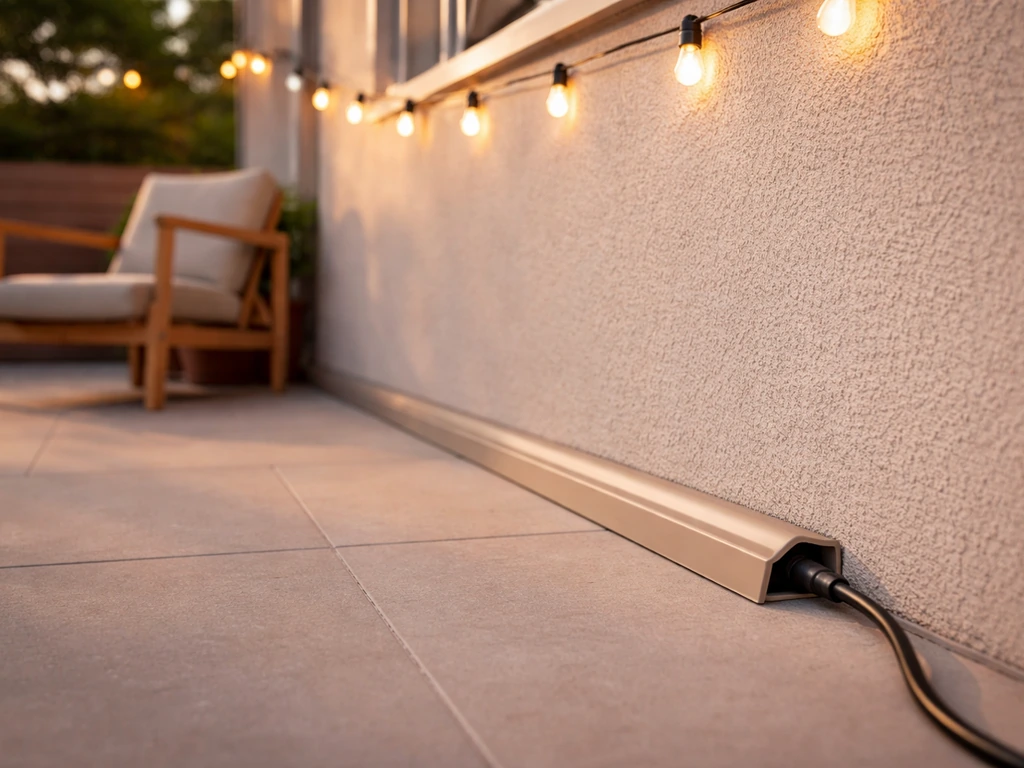
For permanent routing, run cords and cables through outdoor-rated conduit (PVC conduit rated for outdoor/wet locations works well), surface-mounted raceway designed for exterior use, or behind the wall if you're adding proper wiring. Cord covers designed for outdoor use can protect cables running along baseboards or posts. Route cords high on walls where foot traffic can't snag them, and avoid running them across the floor at any point. Thinking about how to hide extension cords on the patio is worth doing at the planning stage, not after the TV is already up. For ideas on blending functional fixtures into your patio design, see our guide on disguising drain covers on the patio.
Power safety and surge protection outdoors
Outdoor electrical environments are harder on electronics than indoor ones. Voltage fluctuations, nearby lightning strikes, and the longer wire runs common in outdoor circuits all increase the risk of power surges reaching your equipment. A surge protector is not optional for an outdoor TV setup. You want one with a joule rating of at least 1,000 joules for a TV, and ideally 1,500 or higher if you're also protecting a soundbar, streaming device, and other components.
For outdoor use, the surge protector itself needs to be in a weatherproof location, either inside a NEMA-rated enclosure, inside an outdoor-rated weatherproof power strip housing designed for the purpose, or brought inside through a wall. A standard indoor power strip left on a covered patio will corrode quickly. Look for power strips specifically labeled for outdoor or weather-resistant use. Some include individual outlet covers and moisture-resistant housings.
Grounding is the foundation all surge protection relies on. Your outdoor circuit must be properly grounded per the NEC for surge protection to work correctly. If you're plugging into an existing outdoor outlet, verify it is grounded (a simple outlet tester from any hardware store will tell you in seconds). An ungrounded outlet means surge protection is ineffective and the GFCI may not trip correctly either.
Signal and streaming options for outdoor viewing
Getting content to a TV on the patio is where a lot of setups get frustrating. Running an HDMI cable from an indoor source through a wall is clean but requires drilling and routing. The good news is you have several solid options that don't require permanent cable runs.
The simplest approach for a smart TV is to rely on the TV's built-in Wi-Fi. Covered patios are often within range of a home router, but walls, covered rooflines, and distance can weaken the signal noticeably. If your patio is more than 30 to 40 feet from the router, or separated by multiple walls, expect buffering. A Wi-Fi extender or mesh node positioned near the patio significantly improves streaming reliability. If you're adding any permanent infrastructure anyway, a single outdoor-rated Ethernet cable run to the patio solves the signal problem permanently and more cheaply than most people expect.
For TVs without built-in streaming, or as a more flexible add-on, streaming sticks plug directly into the HDMI port and handle all content delivery wirelessly. The downside is that a streaming stick left outdoors in an enclosure with the TV is exposed to the same heat and moisture risks as the TV itself. A local media player stored in a protected indoor-adjacent location is a cleaner long-term choice. For setups where the source needs to stay indoors (a cable box, game console, or A/V receiver), HDMI-over-Ethernet baluns let you run HDMI signals over a standard Cat5e or Cat6 cable at distances up to 150 feet, which is much easier to route through walls and conduit than a standard HDMI cable. Wireless HDMI transmitter/receiver kits are another option but are more susceptible to interference and latency.
- Smart TV built-in Wi-Fi: easiest start, but range and walls reduce reliability
- Wi-Fi extender or outdoor mesh node: best fix for weak patio signal
- Outdoor-rated Ethernet cable to the patio: permanent, reliable, inexpensive long-term
- Streaming stick (HDMI): simple, flexible, but exposed to patio environment
- HDMI-over-Ethernet baluns: run HDMI signal up to 150 feet over Cat5e/Cat6 cable
- Wireless HDMI kits: cable-free but can suffer latency and interference
- IR extender kits: allow you to control a box kept indoors from the patio with a standard remote
Weatherproofing choices: from a simple cover to a sealed cabinet
The level of protection you build around the TV should match how exposed your covered patio actually is. A deep, fully enclosed screened porch with good eaves is far more protected than a simple open pergola with a corrugated roof. Be honest about your situation before deciding how much protection to add.
| Protection Level | What It Is | Best For | Rough Cost Range |
|---|---|---|---|
| Soft dust/weather cover | Fitted fabric cover slipped over TV when not in use | Low-humidity covered patios, seasonal use | $20 – $60 |
| Vented outdoor enclosure | Rigid housing with ventilation slots, mounts to wall | Most covered patios, moderate humidity | $150 – $400 |
| Sealed/climate-controlled cabinet | Airtight housing with internal heater/fan, NEMA 4X rated | High-humidity, coastal, year-round installs | $400 – $1,200+ |
| DIY plywood/PVC enclosure | Custom-built box with exterior-grade materials and venting | Budget-conscious builders with time to build | $50 – $200 in materials |
For most covered patio setups, a vented outdoor enclosure is the right balance of protection and cost. These are rigid housings designed to fit a range of TV sizes. They mount to the wall independently and the TV sits inside, protected on the sides and top while ventilation slots allow heat to escape. For particularly humid climates or coastal locations, a fully sealed cabinet with an internal thermostat-controlled heater and fan keeps humidity and temperature stable inside the housing. An IP65 or NEMA 4X rating on the enclosure means it's protected against water jets, windblown rain, and dust, which covers nearly every covered patio scenario short of flooding.
A soft cover is the minimum and cheapest option but only works if you're diligent about putting it on every time the TV is not in use, including overnight. If your patio gets morning dew or occasional wind-blown rain, a cover you leave in place all night is the difference between a TV that lasts three years and one that lasts six months.
Glare, brightness and getting the viewing angle right
This is one of the most common complaints from people who set up outdoor TVs: the picture looks washed out during the day. Standard indoor TVs typically output between 250 and 400 nits of brightness. Bright daylight or even indirect outdoor light can easily hit 10,000 to 50,000 lux, making a 300-nit screen look pale and low-contrast. True outdoor-rated TVs are built with 700 to 2,000+ nit panels specifically to address this. Your indoor TV will look noticeably dimmer outdoors in daytime use.
You can fight glare and washout with positioning and shading rather than brightness alone. Mount the TV on a wall that faces away from the afternoon sun. Add a sunshade, visor, or awning above the TV that blocks overhead light from hitting the screen directly. Even a simple piece of canvas or corrugated shade material above the mounting location makes a measurable difference. Anti-glare screen protectors exist for outdoor TV use and reduce reflections without a significant drop in image quality, though they do reduce peak brightness slightly. For evening-only or covered-porch use where direct sun never hits the screen, your indoor TV's brightness is usually adequate.
- Indoor TVs are typically 250 to 400 nits; outdoor daylight needs 700+ nits for clear viewing
- Position the TV so direct sunlight never strikes the screen surface
- A roof overhang, pergola shade cloth, or mounted visor above the TV cuts glare significantly
- Anti-glare screen overlays reduce reflections for daytime covered-patio use
- Evening and shaded viewing: indoor TV brightness is generally fine
- Tilt the mount slightly downward if overhead light still creates a hotspot reflection on screen
- Seat viewers with the sun behind them, not facing the TV from a sunny angle
Accessories worth having (no brand names, just types)
Getting the most out of a patio TV setup means pairing it with the right supporting gear. None of these need to be expensive, but each one serves a specific purpose.
- Outdoor-rated speakers or weatherproof Bluetooth speaker: patio acoustics are poor and TV speakers get lost outdoors
- IR (infrared) extender kit: lets you control a set-top box or receiver stored indoors from the patio
- HDMI-over-Ethernet balun kit: routes HDMI signal over Cat5e/Cat6 cable through walls and conduit
- Outdoor-rated HDMI cable (if running cable outside): look for cables rated for direct burial or UV-resistant jacketing
- Outdoor-rated surge protector or weatherproof power strip: protects the TV and accessories from voltage spikes
- Vented outdoor TV enclosure or fitted weather cover: the core weatherproofing solution
- Heavy-duty outdoor-rated TV mount: rated for wind load, not just static weight
- Outdoor Wi-Fi access point or mesh node: eliminates buffering from weak indoor router signal
- Cable conduit and outdoor raceway: protects and hides all wiring runs on the patio
Cost comparison: indoor TV on patio vs. outdoor TV vs. projector
| Option | Initial Cost | Expected Lifespan Outdoors | Daytime Picture Quality | Maintenance Level | Best For |
|---|---|---|---|---|---|
| Indoor TV + enclosure | $200 – $800 (TV + enclosure) | 3 – 7 years with good care | Fair (low brightness) | Moderate (seasonal care needed) | Budget setups, mostly evening use |
| True outdoor-rated TV | $800 – $4,000+ | 7 – 15 years | Excellent (700–2,000 nits) | Low (built for the environment) | Year-round, daytime use, wet/coastal climates |
| Outdoor projector + screen | $300 – $1,500 | 3 – 8 years | Poor in daylight, excellent at night | Moderate (lens cleaning, screen care) | Evening-only entertaining, large image needs |
The indoor TV route wins on upfront cost but costs more in the long run if the TV fails in two or three years due to moisture or heat damage. A true outdoor TV is a bigger initial spend but is engineered for the environment, carries an outdoor-rated warranty, and won't need an enclosure. A projector delivers a spectacular image at night on a large screen but is essentially useless during daylight hours and the projection surface adds complexity. If your primary use case is evening entertaining on a covered patio, an indoor TV in a good enclosure is a reasonable, budget-conscious choice. If you want year-round reliability and daytime use, the outdoor-rated TV pays for itself within a few replacement cycles. For another relevant comparison, see how to watch tv outside on patio. For another relevant comparison, see how to hide extension cords on patio. For another relevant comparison, see how to hide grill on patio.
When to choose an outdoor TV, a weatherproof enclosure, or a projector
Here's a simple way to think through the decision. If your patio is fully covered, you watch TV mostly in the evenings, and you're willing to use a cover and bring the TV inside during winter, an indoor TV in an enclosure is a fair starting point. If you watch TV at any time of day, live in a coastal or high-humidity region, or want a set-and-forget installation that doesn't require seasonal care, a true outdoor-rated TV is the right choice and the smarter long-term investment. If you host movie nights or big-game events for a crowd and want a large image (85 inches and up) for less money, an outdoor projector with a motorized screen on an evening-use patio is hard to beat on spectacle per dollar.
Where to put power boxes and set-top equipment
The TV on the wall is only part of the system. Set-top boxes, streaming receivers, cable boxes, and A/V receivers all need to live somewhere. Keeping them outdoors in the same enclosure as the TV is possible but creates additional heat and moisture exposure for sensitive electronics. The better approach is to store these devices inside the house or in a small NEMA-rated outdoor equipment box mounted nearby, with HDMI or signal cables routed through the wall using conduit.
If you must keep electronics outside, use an enclosure rated at NEMA 3R (basic outdoor protection against falling rain) at minimum, and NEMA 4X for humid or coastal environments. NEMA 4X adds corrosion resistance and protection against windblown rain and splashing water, which is the IP66-equivalent level of protection for North American-rated equipment. Allow ventilation inside the box if heat-generating components are stored there, or use a small thermostat-controlled fan to exhaust hot air. Heat is the enemy of receivers and streaming boxes, which can fail in minutes if overheated in a sealed box in summer.
Installation checklist: before, during and after
- Pre-install: Confirm your covered patio has a GFCI-protected, outdoor-rated outlet with an in-use cover
- Pre-install: Check local building department requirements for permits on new outdoor circuits or outlets
- Pre-install: Measure the wall space and confirm there are studs or solid masonry to anchor the mount
- Pre-install: Choose and order the TV mount, weatherproof enclosure or cover, outdoor surge protector, and any cable management hardware
- Pre-install: Plan the cable route from power and signal sources to the TV location
- Install: Mark and drill mount anchor points; use a stud finder and level
- Install: Attach the wall plate of the mount and verify it's level and solidly fastened
- Install: Run outdoor-rated cables through conduit or raceway from power source to TV location
- Install: Connect the TV to the mount, attach power and signal cables before lifting into final position
- Install: Plug into surge protector, which plugs into the GFCI outlet
- Install: Test all functions: power on, picture, sound, streaming or signal, and remote control operation
- Post-install: Apply weatherproof sealant around any conduit penetrations through exterior walls
- Post-install: Attach the weatherproof enclosure or confirm the soft cover fits correctly
- Post-install: Test the GFCI outlet by pressing the Test button; the TV should lose power immediately
- Post-install: Check all cable runs for exposed sections, chafing, or pinch points
Materials and tools for a DIY patio TV install
| Category | Items Needed |
|---|---|
| Mounting hardware | Heavy-duty outdoor TV wall mount, lag bolts or masonry anchors, washers, level |
| Weatherproofing | Vented outdoor TV enclosure or fitted weather cover, exterior-grade sealant (silicone or polyurethane) |
| Electrical | GFCI outlet with in-use weatherproof cover, outdoor-rated surge protector, outdoor-rated extension cord (temporary) or UF-rated cable (permanent) |
| Cable management | PVC outdoor conduit, conduit straps, outdoor-rated surface raceway, cable ties, conduit fittings and boxes |
| Signal and connectivity | Outdoor-rated HDMI cable or HDMI-over-Ethernet balun kit, Cat5e/Cat6 Ethernet cable (if using HDMI balun or wired internet) |
| Tools | Stud finder, drill and bits (masonry bit if applicable), level, screwdrivers, wire stripper, conduit cutter, measuring tape, pencil, ladder |
Seasonal maintenance, storage and winterizing
A patio TV setup that gets no seasonal attention will degrade faster than one that gets a few hours of care per year. At the start of each outdoor season, inspect all cable connections for corrosion or damage, clean the screen with a soft cloth and a screen-safe cleaning solution, and check the mount hardware for loosening caused by seasonal expansion and contraction of the wall material. Tighten any fasteners that have worked loose.
When temperatures are regularly dropping below the operating minimums (32°F for most brands, 41°F for TCL, Hisense, and some VIZIO models), bring the TV indoors or at minimum ensure it's stored in a heated enclosure. Running a TV outside in subfreezing temperatures can crack LCD panels and cause permanent damage to the circuit board from thermal shock. If your climate has real winters, removing the TV in November and reinstalling in spring is the single most effective maintenance step you can take.
- Start of season: inspect all cables, connectors, and mount hardware for corrosion or loosening
- Start of season: clean screen gently with appropriate screen cleaner and microfiber cloth
- Monthly during use: check vents for insect nests, debris, or blockages
- Monthly during use: confirm GFCI outlet tests correctly (press Test button)
- End of season (fall): clean and fully dry the TV before covering or storing
- End of season: apply a fitted cover if leaving outdoors, or remove the TV entirely if winters are cold
- Off-season storage: store the TV indoors in a climate-controlled space, ideally in the original box or a padded TV bag
- Annual: inspect mount anchor points and re-torque if any movement is detected
Troubleshooting common problems after installation
Even a well-planned outdoor TV setup hits problems eventually. Here are the most common ones and what causes them.
Condensation inside the screen is usually visible as fogging, water droplets, or dark patches on the display. It means humid air entered the housing overnight as temperature dropped. Short-term fix: bring the TV indoors to a dry, warm room and let it sit off for 24 to 48 hours before powering on. Long-term fix: upgrade to a sealed or better-vented enclosure, or add small silica gel desiccant packs inside the enclosure and replace them monthly.
Tripping breakers or GFCI outlets are a sign that moisture has reached the electrical components or that the circuit is overloaded. Do not simply reset and ignore a tripping GFCI. Inspect all cord connections and outlet covers for moisture intrusion. If the outlet trips consistently and no moisture is visible, the TV or another device on the circuit may have a developing fault. Disconnect the TV and have the circuit and equipment inspected before reconnecting.
Wi-Fi dropouts during outdoor viewing are almost always a range or obstruction issue. A roof overhang, exterior wall, or even a metal patio cover can block signal significantly. Adding a Wi-Fi extender or outdoor-rated mesh access point within line of sight of the patio usually solves this. Streaming sticks that run warm in enclosed spaces can also drop connections due to thermal throttling. Make sure the streaming device has adequate airflow.
Insect nests in vents or speaker openings cause buzzing, rattling, and can block airflow enough to cause overheating. Wasps and mud daubers are common culprits in warm climates. Inspect the TV's vents and speaker slots at the start of each season and after any extended non-use period. Use a soft brush or compressed air to clear debris. Adding fine mesh over vent openings (without blocking airflow) can reduce nesting if it's a recurring problem in your area.
Safety reminders and legal notes before you start
Mounting a TV on a patio wall is something most competent DIYers can handle safely. Running new electrical circuits is a different matter. Any work that involves opening the electrical panel, running new 120V or 240V circuits, installing new breakers, or wiring new outlets should be done by a licensed electrician. This is true even if you feel confident doing it yourself. Unpermitted electrical work can void your homeowner's insurance, create liability if a fire occurs, and cause real safety hazards for your family.
When using a ladder for mounting work, follow basic ladder safety: use a ladder rated for your weight plus tools, set it on firm level ground, have a helper present, and never overreach to either side. A fall from a 6-foot ladder onto a concrete patio is a serious injury. Take the extra minute to move the ladder.
- Hire a licensed electrician for new circuits, panel work, or any wiring you are not 100% confident about
- Pull required permits for outdoor electrical work and have it inspected
- Test all GFCI outlets before and after installation
- Check local building codes for mounting structure requirements (some jurisdictions have specific rules for TV mounts on exterior structures)
- Use appropriate ladder safety practices: rated ladder, level ground, helper present
- Do not power up the TV until all wiring is complete, inspected, and properly protected
Quick product-type recommendations
When shopping for gear to support a patio TV install, focus on these product types and their relevant ratings rather than brand names. The right specification matters more than the label.
- Outdoor-rated TV (if upgrading): look for a panel brightness of 700 nits or higher, IP55 or better rating, and an explicit outdoor-use warranty
- Vented outdoor TV enclosure: look for NEMA 3R or NEMA 4X rating, size compatibility with your specific TV model, and integrated mounting plate
- Heated/climate-controlled enclosure: look for built-in thermostat, internal heater for cold climates, and fan exhaust for summer heat management
- Outdoor weatherproof cover: fitted to your TV's exact dimensions, UV-resistant fabric, water-resistant (not just water-repellent)
- Outdoor speakers: IPX5 or higher water resistance rating, UV-resistant housing, wall- or post-mountable
- HDMI-over-Ethernet extender (balun kit): specify 4K/60Hz compatibility if needed, check rated cable distance (typically 150 feet over Cat5e/Cat6)
- IR extender kit: single emitter/receiver sets work for most setups; multi-zone kits available for multiple devices
- Outdoor-rated surge protector: minimum 1,000 joules rating, weatherproof housing, indicator light showing active surge protection
Related DIY patio guides worth reading next
A patio TV setup opens up a lot of connected projects. Once the TV is mounted, you'll likely want to think about hiding the power and signal cables running to it, which leads naturally into how to hide extension cords on the patio and manage outdoor wiring cleanly. If you're dealing with bulky appliances too, see our guide on how to hide an air conditioner on the patio for practical screening, ventilation, and aesthetic options. If you're adding an outdoor entertainment zone, a grill is often nearby too, and figuring out how to hide a grill on the patio or how to secure a grill to the patio are practical next steps. If you're installing a TV near a cooking area, also read how to secure grill to patio for guidance on safely anchoring and spacing the grill. For patios with air conditioning, hiding an AC unit on the patio keeps the space looking clean and intentional. And if you want the full picture on outdoor viewing beyond just the TV itself, how to watch TV outside on the patio covers streaming, projection, and setup options in more detail.
Final decision flow: choosing the right approach for your patio
Start with your patio's exposure level. Fully covered, rarely wind-blown, moderate humidity, and evening-primary use? An indoor TV in a vented enclosure with a GFCI outlet, a surge protector, and a fitted cover for off-season use is a workable, budget-friendly solution. Partially covered, coastal, humid, or used year-round including daytime? Skip the indoor TV and buy an outdoor-rated one. You will spend more upfront and spend nothing replacing it in three years. Hosting evening events for a crowd and want a massive image without the price of a large outdoor TV? An outdoor projector with a motorized screen is your move. Whatever you choose, get the electrical side right first: GFCI outlet, proper cover, grounded circuit, and a licensed electrician for any new wiring. The TV can be replaced. A house fire or an electrical injury cannot.
FAQ
Core answer: Can you put a regular (indoor‑rated) TV on a covered patio?
Yes — but only with careful precautions. A regular indoor TV can work on a covered patio if the location stays within the TV’s operating temperature and humidity limits, is protected from direct rain, heavy condensation and driving spray, and you follow proper electrical and mounting best practices. Expect increased warranty risk and faster wear vs. a purpose‑built outdoor TV.
What are the main warranty and safety risks?
Most manufacturer warranties exclude damage from moisture, liquid, or weather exposure. Risks include condensation inside the TV, corrosion of electronics, insect intrusion, UV damage to plastics, electrical hazard from wet plugs, and potential fire/electrocution if wiring or outlets aren’t correct or GFCI‑protected.
What environmental limits should I check before installing an indoor TV outdoors?
Check your TV manual for operating temperature and humidity ranges. Typical limits for indoor consumer models: roughly 0°C–40°C (32°F–104°F) or 5°C–35°C for some brands, and non‑condensing relative humidity usually under ~80%. Avoid locations where temperature regularly exceeds or drops below those ranges or where condensation forms.
How do I evaluate condensation, humidity and insects?
Avoid spots where warm interior air meets cold surfaces (condensation). Under a covered patio, allow airflow and avoid enclosed unvented cabinets unless they’re actively ventilated. Use sealed or gasketed enclosures if insects or high humidity are likely. Regularly inspect for spider webs, nests and insect debris.
What electrical and code requirements apply?
Outdoor receptacles must be GFCI‑protected and be weather‑resistant per NEC. If a plug may remain inserted outdoors, use an 'in‑use' weatherproof cover. New outdoor circuits, dedicated outlets or hardwiring usually require permits and should follow local code; hire a licensed electrician for permanent wiring or if you’re unsure.
What outlet and cord practices keep the installation safe and legal?
Use a GFCI‑protected outdoor receptacle with a listed in‑use cover if the TV will be plugged in while exposed. Run outdoor‑rated cable or conduit for permanent installs, use weather‑resistant devices, and avoid running extension cords through doorways or across walkways. For temporary setups, use short heavy‑gauge outdoor extension cords and elevated drip loops to prevent water entry at the plug.
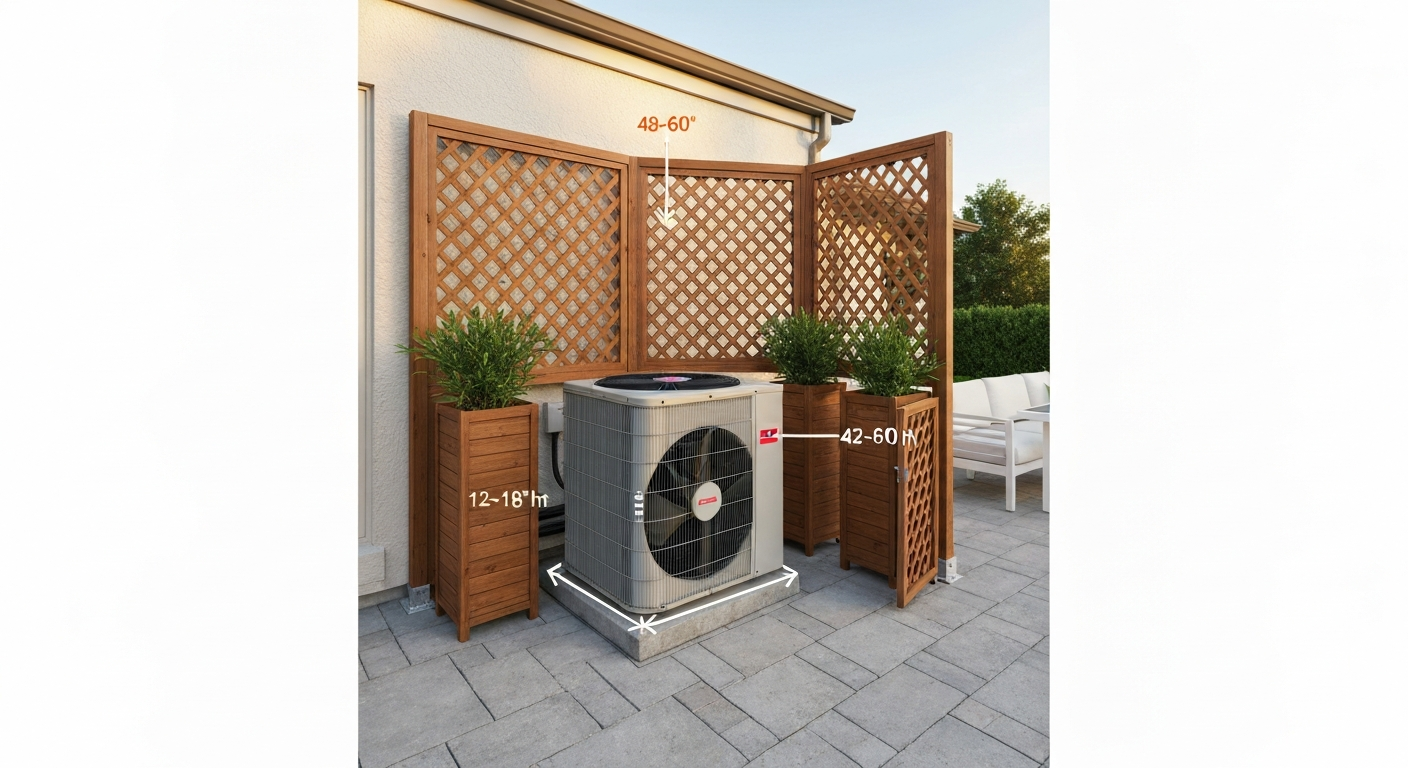
Hide an outdoor AC on your patio: DIY screens, lattice, plantings, cabinets, clearance rules and step-by-step plans.
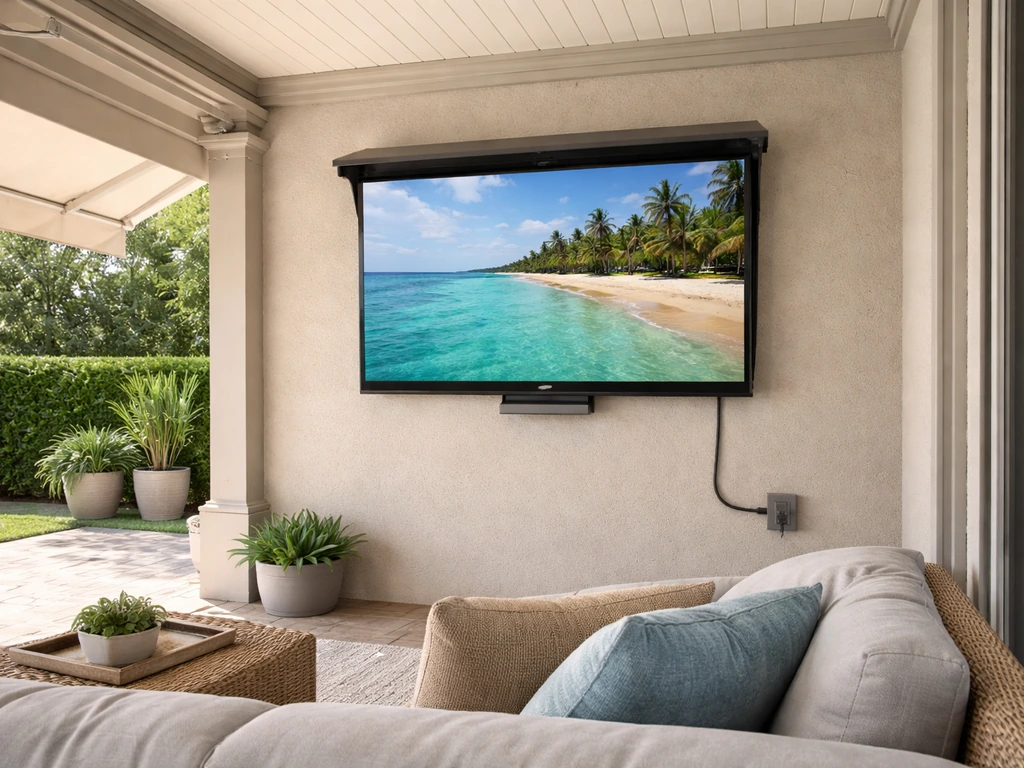
Practical patio TV setup for outdoor viewing, covering weatherproofing, mounting, glare control, power, Wi‑Fi, and maint
DIY guide to hide patio extension cords safely with cord covers, raceways, enclosures, and proper outdoor-rated setup fo